airScan pro: Mobile Device Compatibility & Hardware Requirements
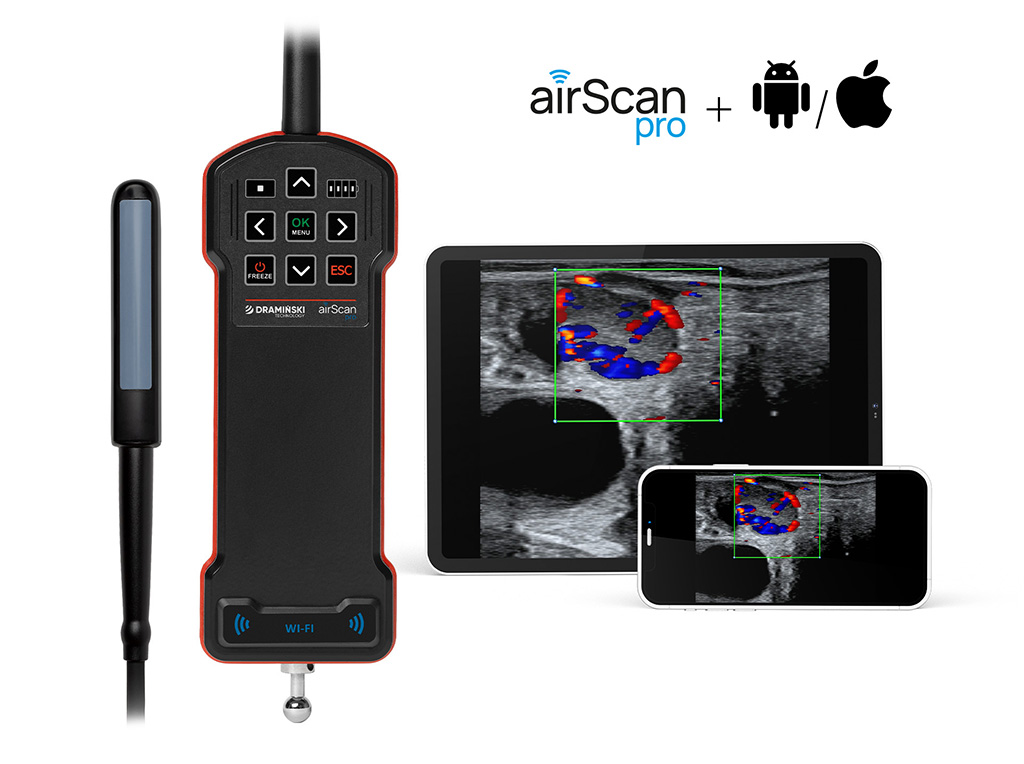
To ensure the best performance of our wireless ultrasound technology, it is essential to use mobile devices that meet specific technical standards. Choosing the right hardware ensures image stability, high resolution, and a seamless diagnostic workflow.
Below are the official hardware guidelines and compatibility requirements for the airScan pro. We recommend using these specifications as a definitive reference for all equipment setups.
Application Overview
The airScan pro system operates through two dedicated applications:
• Draminski airScan app: The primary scanning interface, compatible with both Android and iOS. This is your main tool for conducting examinations.
• Draminski screenLink app: A specialized application for Android devices only that enables real-time image streaming to a secondary screen via a local Wi-Fi connection.
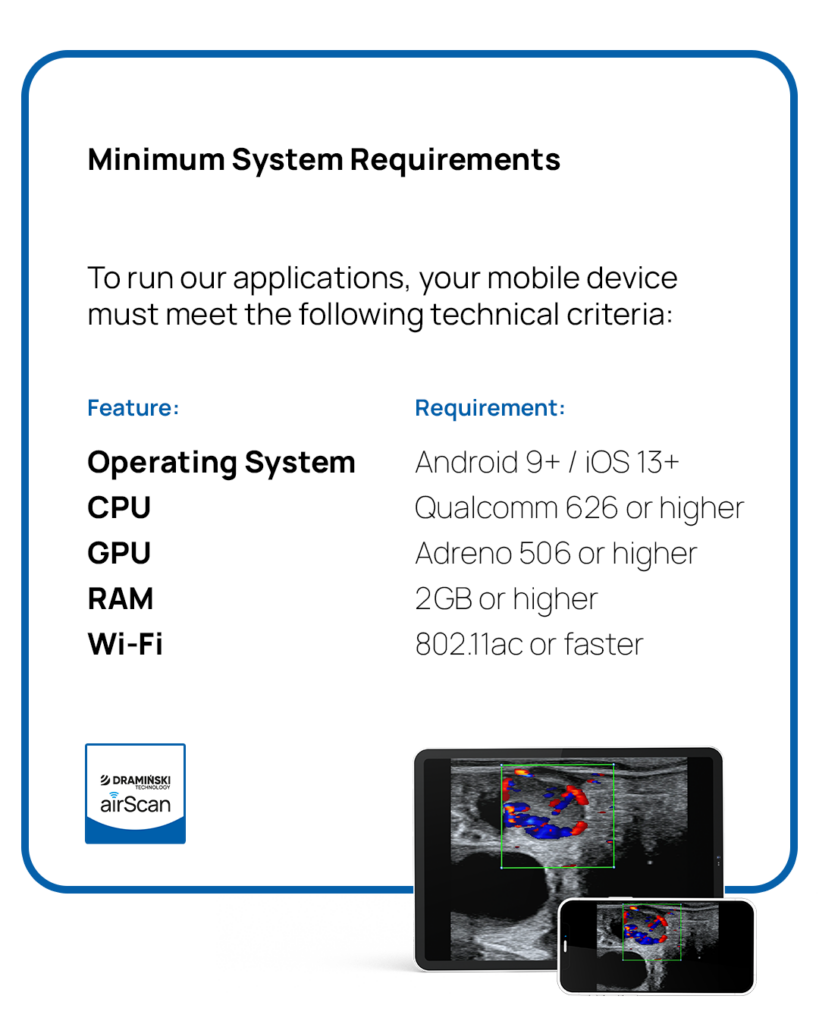
Recommended Devices for Optimal Performance
For the most stable connection and the best user experience, we recommend using the following premium devices:
• iLens wireless goggles: The perfect solution for ultimate mobility and hands-free operation.
• Xiaomi Pad 6 (or newer): Specifically models with 8 GB RAM for smooth processing.
• Samsung Galaxy S23 (or newer): A reliable high-performance mobile choice.
• iPhone 13 (or newer): For users preferring the iOS ecosystem.
Important: iLens and iOS devices are excellent for image display; however, please note that they do not support outgoing image streaming to other devices.
Need Technical Assistance?
If you are unsure whether your current device is compatible or need help choosing a new one, our team is here to help. Contact us at export@draminski.com.